


SAP GUI Themes in Comparison
In brief: SAP GUI themes determine colors, fonts, and controls of the SAP interface. For SAP S/4HANA, the Horizon Theme has been the first choice since SAP GUI for Windows 8.10 (available since July 16, 2026) because it corresponds to the current SAP Fiori design. Those who are still working with SAP GUI 8.00 will stay with Quartz. Signature, Corbu and Blue Crystal are considered obsolete.
Table of Contents
- What are SAP GUI Themes?
- Overview: The most important SAP GUI themes
- Which SAP GUI themes are the most popular?
- Recommendation for SAP S/4HANA
- Differences between SAP GUI themes at a glance
- SAP GUI Theme Conversion – This is how it works
- New from SAP GUI 8.10: Own themes and AI in the GUI
- SAP GUI Themes: Frequently Asked Questions
- Conclusion: More productivity with the right SAP GUI theme
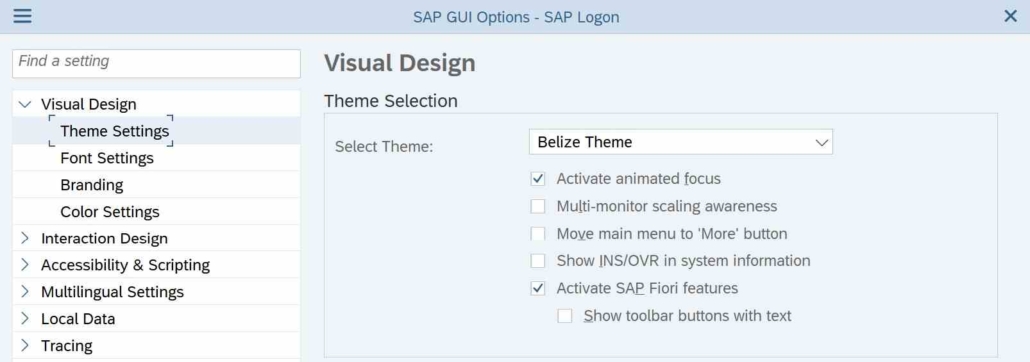
Choosing the right SAP GUI theme is more than a matter of taste: The design helps determine how fast and how error-free your users work in the system. We’ll compare the available interfaces from Signature to Horizon, show you which theme fits SAP S/4HANA, and tell you which designs you’d better stay away from today.
As of September 2026 – updated for SAP GUI for Windows 8.10.
What are SAP GUI Themes?
SAP GUI themes determine the visual design of the SAP user interface. These include:
- Colors & Icons
- Types
- Layout Elements
- Usability Functions
The right theme improves the user experience, reduces training effort and ensures a modern working environment.
Overview: The most important SAP GUI themes
1. Signature Theme
- Classic, grey, tried and tested – but no longer up-to-date
- Many experienced SAP users still use it
- No longer recommended for new systems

SAP Signature Theme
2. Corbu Theme
- Flatter design, but low contrast
- Weaknesses in readability
- Outdated and rarely used
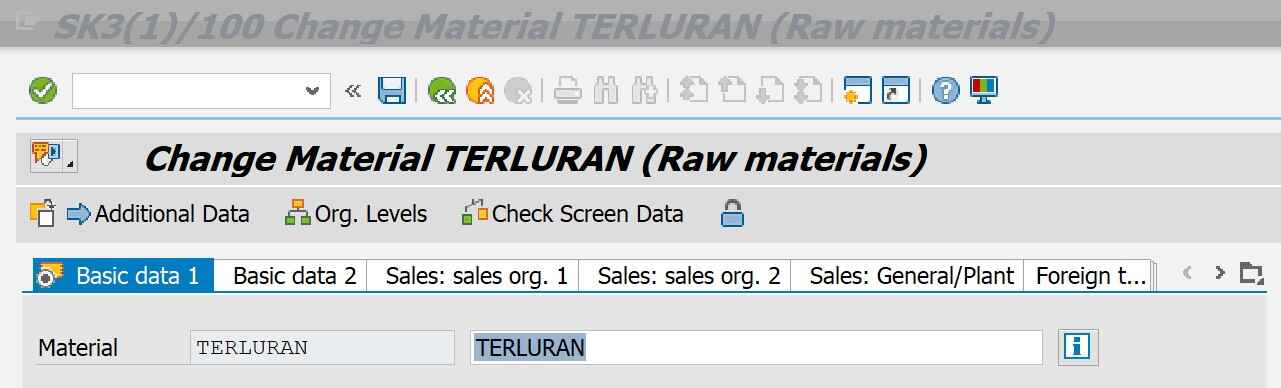
SAP Corbu Theme
3. Blue Crystal Theme
- First approach to Fiori design
- Better than Corbu, but only a temporary solution
- No longer optimal for S/4HANA

SAP Blue Crystal Theme
4. Belize Theme
- Fiori-inspired, modern & responsive
- Fits well with classic transactions in S/4HANA
- Light & Dark variant available
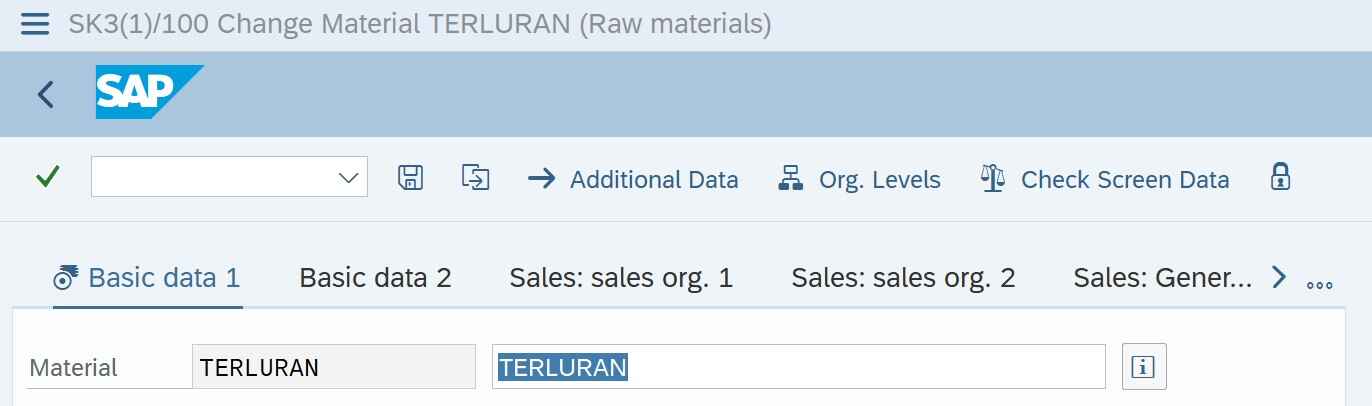
SAP Belize Theme
5. Quartz Theme
- Standard in SAP Fiori 3 and for a long time the first choice for S/4HANA
- Minimalist, clean & user-friendly
- Since SAP GUI for Windows 8.10 replaced by Horizon – still solid, but no longer the first choice
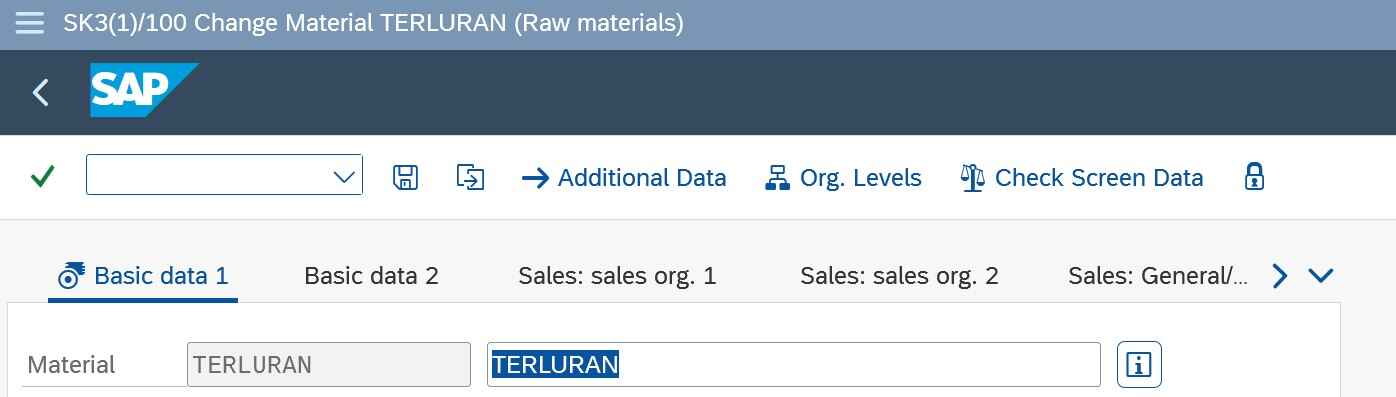
SAP Quartz Theme
6. Horizon Theme
- Successor to the Quartz family and standard from SAP GUI for Windows 8.10, which SAP released on July 16, 2026
- Full visual integration into the current SAP Fiori design – a consistent look across GUI, Fiori Launchpad and web apps
- Available as Morning Horizon (light) and Evening Horizon (dark), plus high-contrast versions
- Significantly stronger focus visualization and better differentiation between editable and read-only fields – even in tables
- Our clear recommendation for all new rollouts
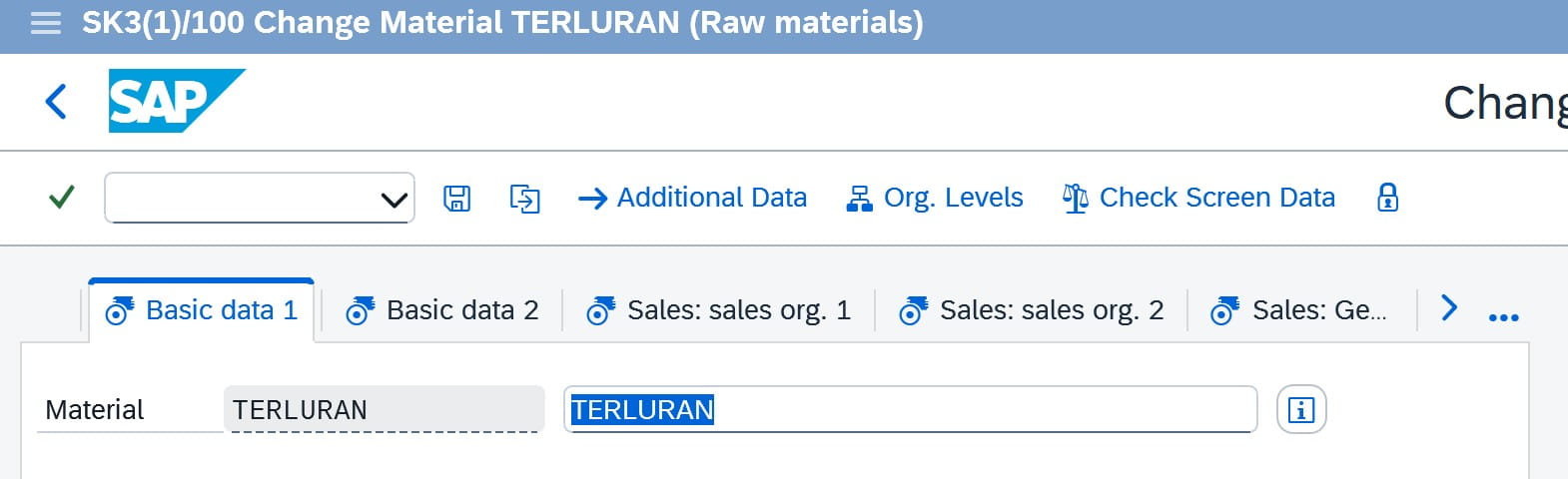
SAP Horizon Theme
Which SAP GUI themes are the most popular?
Recent surveys and customer feedback show:
- Horizon Theme is becoming increasingly popular in new SAP S/4HANA projects with SAP GUI 8.10
- Quartz Theme remains widely used, especially on systems that still work with SAP GUI 8.00
- Belize Theme Holds Up in Stable ECC Environments with Fiori Integration
- Signature still has its place among “old hands” – but it has already been removed in the SAP GUI for Java 8.10. The phasing out is therefore no longer a forecast, but reality.
Recommendation for SAP S/4HANA
For a modern, future-proof SAP UX, you should:
- Use Horizon Theme – standard from SAP GUI for Windows 8.10 and visually identical to the current Fiori design
- Alternatively Quartz Theme – if SAP GUI 8.00 is still in use in your company
- Belize only on a transitional basis – for example in hybrid landscapes with older releases
- Stop using themes like Signature or Corbu
Tip: SAP GUI 8.10 comes with the new “Match Microsoft Windows theme” option. This means that SAP GUI automatically selects the appropriate Horizon variant for the active Windows design at startup – light, dark, or high contrast. For users who work in dark mode in the evening, this is a real gain in comfort.
Differences between SAP GUI themes at a glance
| Theme | Look & Feel | S/4HANA suitable | Modern UI | Status |
|---|---|---|---|---|
| Signature | Classic | no | no | Deprecated, will be removed |
| Corbu | Flat | no | no | Obsolete |
| Blue Crystal | Fiori-like | restricted | Yes | Deprecated, will be removed |
| Belize | Modern, Fiori UX | Yes | Yes | Transitional |
| Quartz | Minimalist | Yes | Yes | Solid, detached |
| Horizon | Current Fiori design | Yes | Yes | Recommended |
Note: Signature and Blue Crystal have already been removed in the SAP GUI for Java 8.10. They are still included in the SAP GUI for Windows – but are no longer an option for new rollouts.
SAP GUI Theme Conversion – This is how it works
- Open SAP GUI
- Menu: Customize > options > display
- Choose a theme (e.g. Horizon) – or enable the “Match Microsoft Windows theme” option
- Restart SAP GUI
The prerequisite for Horizon is SAP GUI for Windows 8.10. If you are still running Release 8.00, Quartz is the best choice available. The maintenance for 8.00 has been extended, but an upgrade to 8.10 is worthwhile not only because of the themes – you can find the appropriate installation file via our instructions for SAP GUI download.
By the way: Horizon is not reserved for S/4HANA customers. Since the SAP GUI for Windows renders the themes on the client side, Horizon works with all SAP products in maintenance – including SAP ECC. A backend project is not necessary for this, the GUI upgrade to 8.10 is sufficient. Those who are still working on ECC can shorten the waiting time until the S/4HANA migration , at least visually. Only with SAP GUI for HTML (WebGUI) does the available theme still depend on the backend release.
Tip: If you want to migrate centrally, your SAP Basis team can also configure the theme system-wide. New in 8.10: Administrators can now overwrite a previously made theme selection by the users centrally.
New from SAP GUI 8.10: Own themes and AI in the GUI
With Release 8.10, SAP has introduced two innovations that go beyond pure looks.
Custom Theming
Based on the official Horizon themes, administrators and UI designers can now create their own themes. Typical use cases:
- Corporate identity in the SAP GUI (company colors, branding)
- Better readability for special requirements, such as color blindness
- Colour differentiation of systems – if you can tell development, test and production systems apart at a glance, you avoid expensive incorrect entries
Joule Integration
Together with SAP Business Client 8.10, SAP’s AI co-pilot Joule can now also be used for classic GUI transactions. Joule accesses the current transaction and executes front-end actions. The modernization of the SAP GUI is therefore more than a facelift – it is the basis for SAP’s AI strategy in the desktop client.
SAP GUI Themes: Frequently Asked Questions
Which SAP GUI theme should I use in 2026?
Horizon. It is the standard from SAP GUI for Windows 8.10 and the only theme that corresponds to the current SAP Fiori design. Only those who are still stuck on Release 8.00 will continue to do well with Quartz.
Do I need SAP S/4HANA for the Horizon Theme?
No. The SAP GUI for Windows renders themes on the client side, which is why Horizon runs in maintenance with every SAP product – including SAP ECC. All that is needed is the GUI upgrade to 8.10.
Will the Signature Theme be abolished?
In the SAP GUI for Java 8.10, Signature has already been removed, as has Blue Crystal. Both are still included in the SAP GUI for Windows, but they are no longer a sensible choice for new systems.
Conclusion: More productivity with the right SAP GUI theme
A modern SAP GUI theme is more than just a pretty coat of paint – it’s a real efficiency tool. If you switch to Horizon or stay with Quartz for a transitional period, you will benefit from:
- Better overview and readability, thanks to stronger focus emphasis and clearly recognizable input fields
- a uniform look for GUI & Fiori
- Fewer errors due to clearer navigation
- Future-proofing in the SAP world – including connection to custom theming and joule
With SAP GUI for Windows 8.10 and the Horizon themes, the classic SAP client has finally arrived visually at the level of the rest of the SAP portfolio. A good time to review your own theme strategy.
SAP Consulting & UX Optimization
Do you want to know how to make your SAP system more modern and user-friendly? We will take a look at your GUI landscape and tell you what the switch to Horizon will bring in concrete terms. Talk to us – we will be happy to advise you.

