SAP Goods Receipt Cockpit
The SAP Goods Receipt Cockpit ensures fast, transparent
and error-free recording process of all deliveries.
- Delivery note capture by scan
- Central cockpit overview
- Automatic Assignment
Companies trust MailCenter


The SAP Goods Receipt Cockpit is the central interface for controlling, checking and posting goods receipts in the SAP system. Companies receive a uniform platform that reduces manual work, increases data quality and creates full transparency of all incoming goods.
Why a cockpit?
Goods receipt is a critical process between procurement and warehouse logistics. Incorrect data, manual entries or lack of transparency quickly lead to inventory deviations and delays. The cockpit standardizes all processes and ensures consistently stable, traceable processes.
Advantages of the SAP Goods Receipt Cockpit
More efficiency for all departments:
Workflows are standardized, media discontinuities are avoided and cooperation between warehouse, purchasing, accounting and IT is significantly improved.
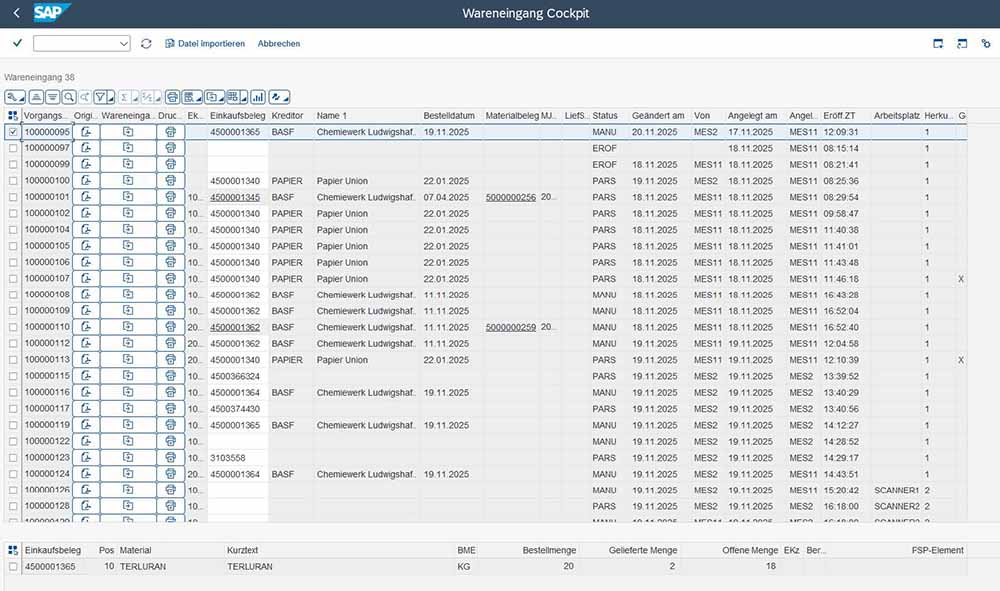




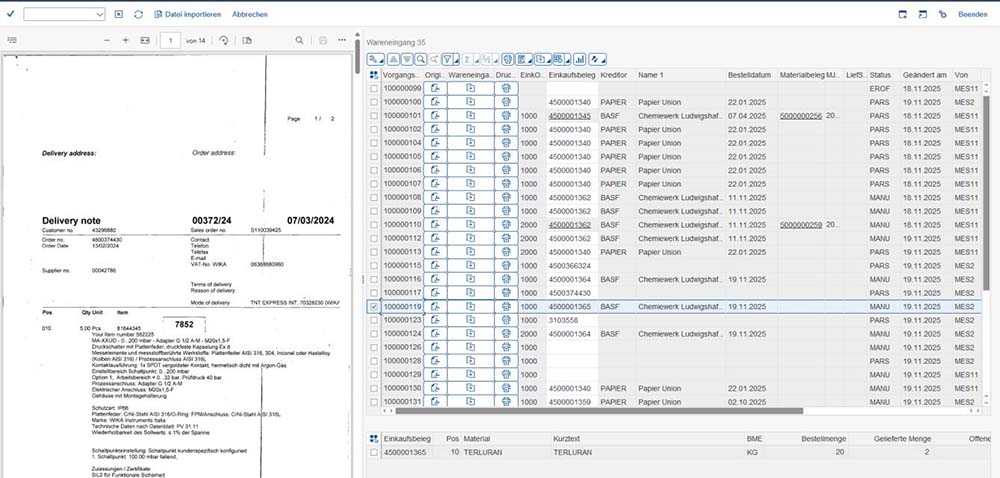
Display of delivery notes in the cockpit
Central process overview:
All goods receipts and order references are displayed centrally. Filters, search functions and status indicators help with quick prioritization.
Automated recording and assignment:
Delivery notes are read, automatically recognized and assigned to the appropriate orders – without time-consuming manual entries.
Checking and booking in the cockpit:
Quantity and quality inspection are carried out directly in the surface. The goods receipt is then posted in SAP, a material document is generated, and the inventory is updated.
Complete documentation:
All steps are logged in the SAP system in a traceable manner – ideal for audits and quality management.
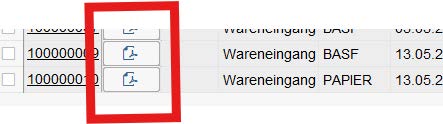
Display of delivery notes as PDF
Employees in Incoming Goods & Warehouse Logistics:
IT, SAP Basis & Digitalization Teams:
Common Benefits:
1. Registration of the delivery:
Delivery notes are scanned or digitally scanned. Data is automatically recognized and transferred.
2. Testing and comparison:
Order, quantity and quality are checked and corrected if necessary.
3. Posting in SAP:
Goods receipt is posted, material documents are generated, and inventory is updated.
The SAP Goods Receipt Cockpit can be seamlessly integrated into existing SAP landscapes without the need to modify processes or modules. It uses existing SAP data, posting logic, and authorizations, making implementation and operation particularly straightforward. The setup usually takes place in a short time and can be adapted to individual requirements.
Compared to the classic SAP transaction, the cockpit offers a central, clear interface, automated assignment logic, real-time status information and significantly fewer manual entries. This reduces errors, accelerates processes and relieves employees in incoming goods and purchasing in the long term.
Yes. The Goods Receipt Cockpit is specially designed to map warehouse, purchasing, logistics, accounting and IT in a uniform process. Through clear process steps and transparent status displays (e.g. status orders), it improves collaboration between all departments involved and ensures a consistent database throughout the company.




Industriestraße 31
82194 Gröbenzell
Mon. – Fri.: 09:00 am to 16:00 pm
+49 89 2154 689 80